Put your server at the top of the list
Every community server is listed in DayZ Finder automatically and for free. With a sponsored spot, yours shows at the top of the Servers tab, whatever filters players choose.
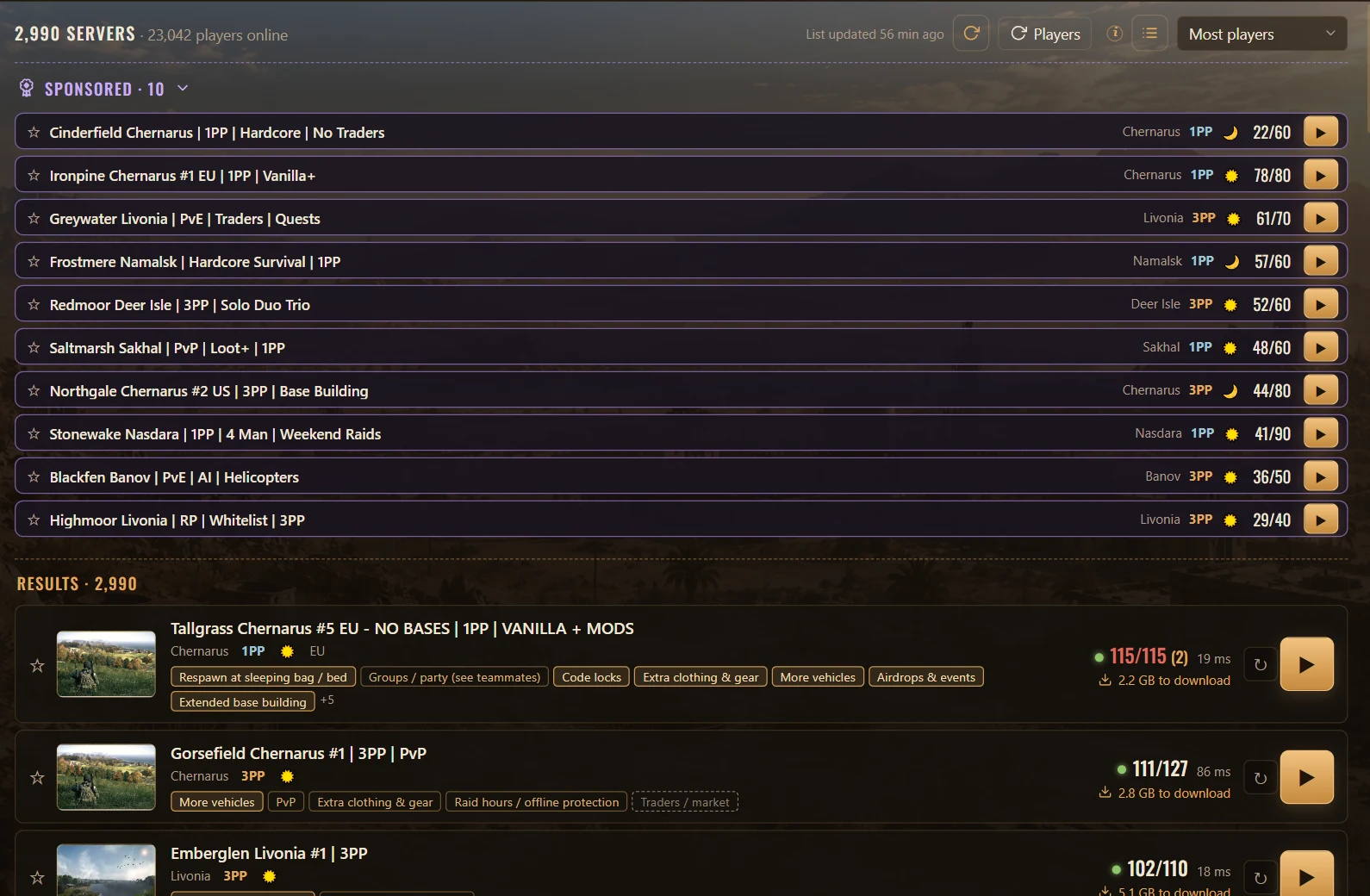
Download the app and sign in with Steam
Steam sign-in is needed to book a spot, against fake bookings. It's at the top right of the app.
Book your spot
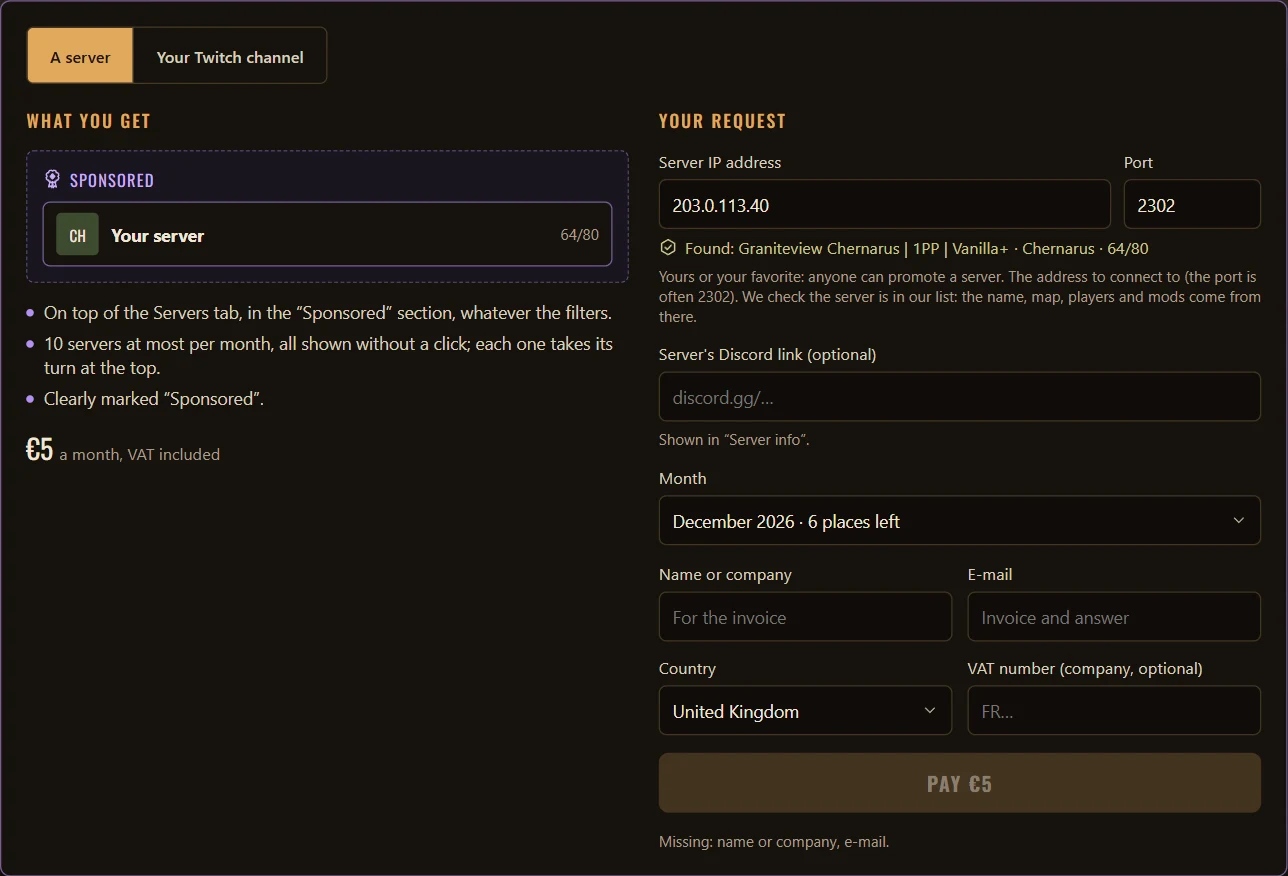
Promote → A server
Enter the IP address and port: we check that the server is in the list. Add your Discord link if you want, pick the month, then pay.
€5 a month (VAT included), 10 servers at most per month. The spot is only booked once paid.
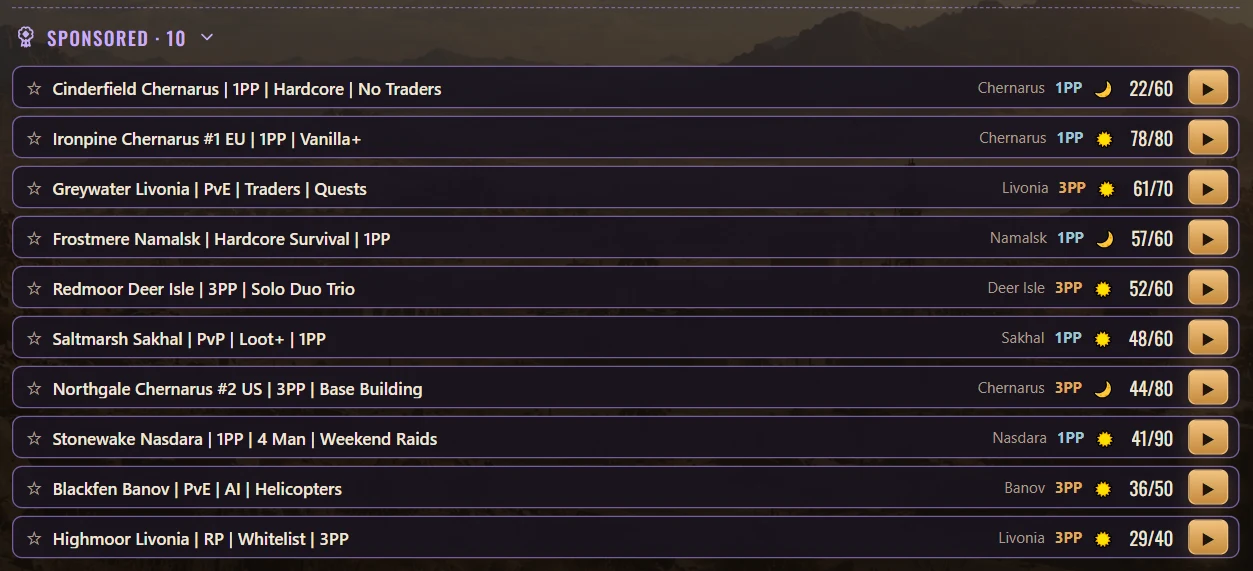
What players see
Your server shows in the “Sponsored” section at the top of the Servers tab for the whole month. Every spot is shown from the start, without a click, and the order changes each time the app starts: each server takes its turn at the top.
The Discord link given when booking shows in the “Server info” tab of its panel.
Book your spot
Download DayZ Finder, open the Promote tab, then choose “A server”.
The app is free (version 0.2.12, Windows 10 and 11). A sponsored spot costs €5 a month, VAT included (terms of sale).