Your Twitch channel in DayZ Finder
When you're live on DayZ, your channel shows up by itself in the Streamers tab, for the players who picked your language. You have nothing to do.
Feature your channel
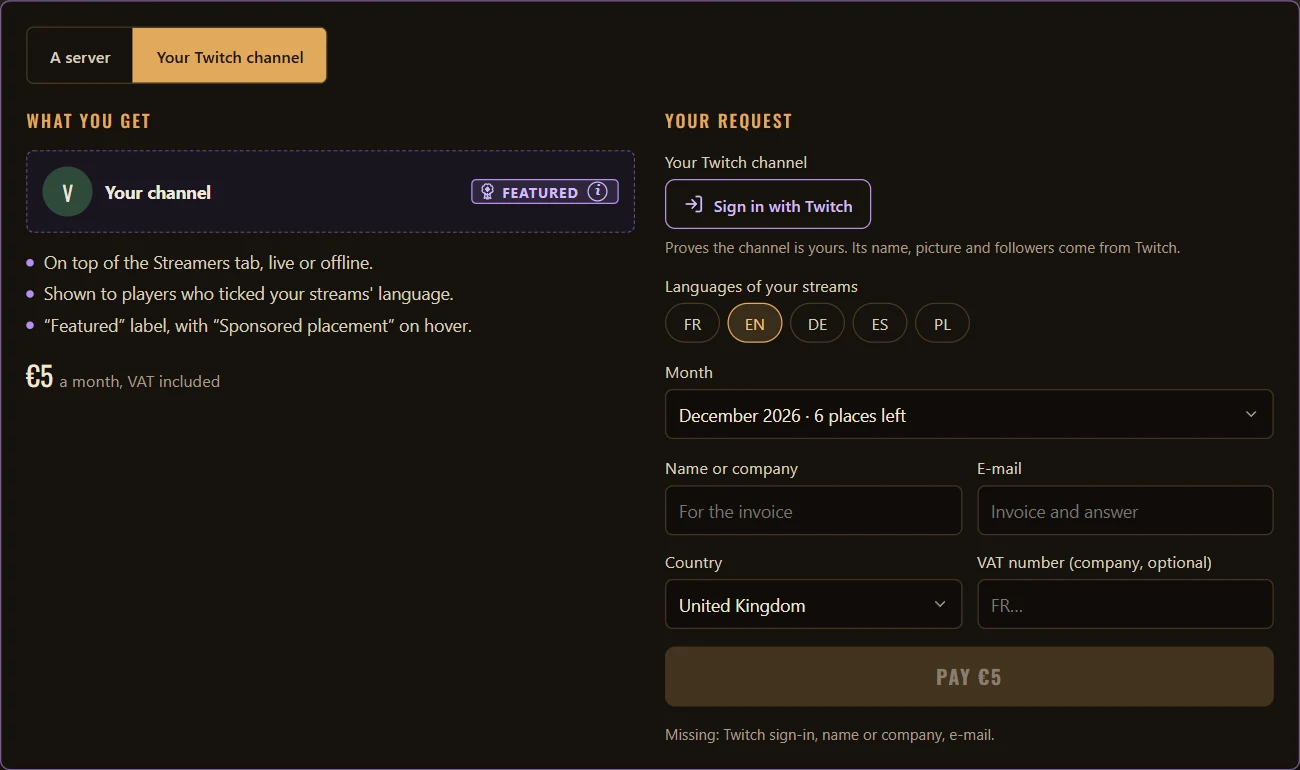
To be at the top of the list, book a “Featured” spot: €5 a month (VAT included), 10 channels at most per month.
Book your spot
Promote → Your Twitch channel
Sign in with Twitch to prove the channel is yours, pick your streams' languages and the month, then pay.
The spot is only booked once paid.
What players see
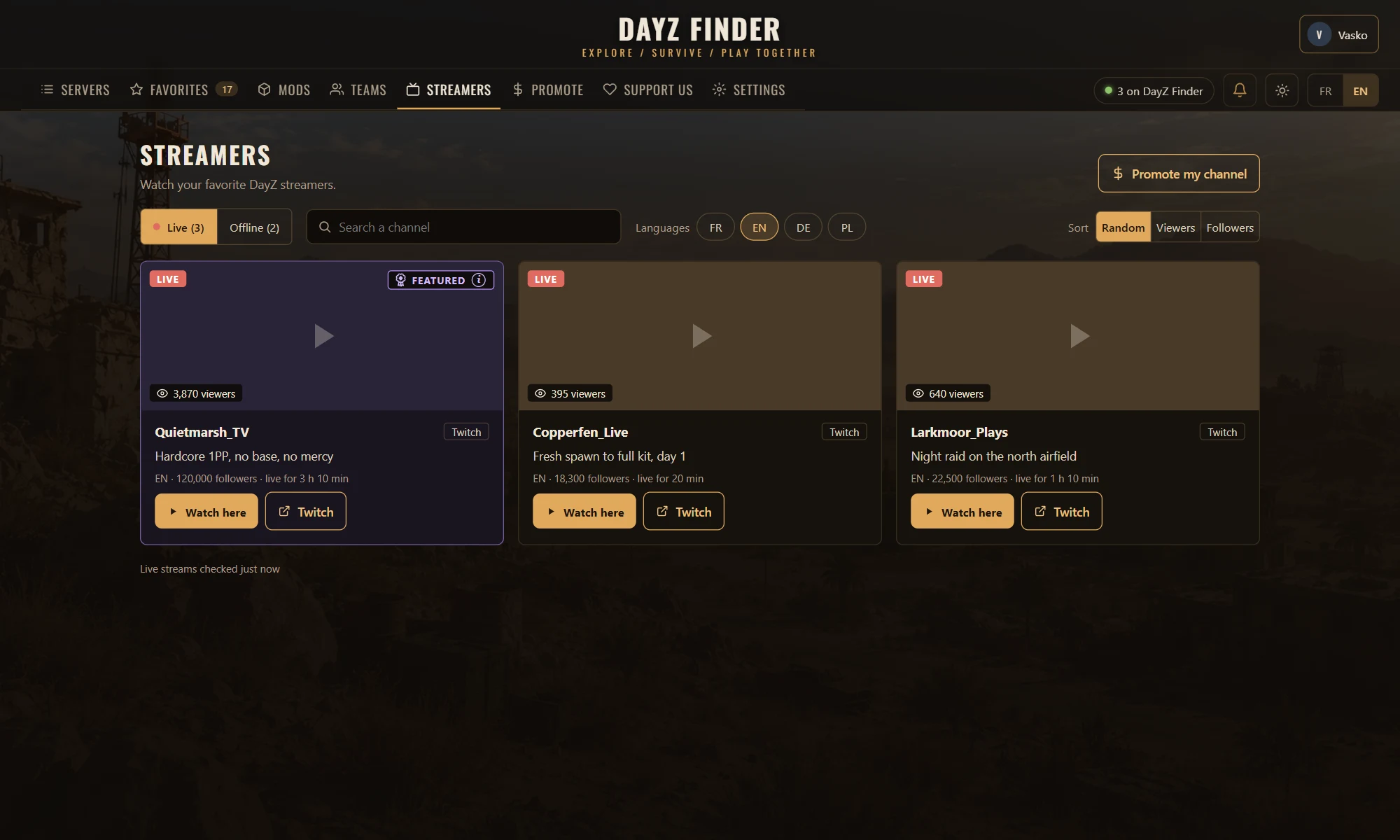
Your channel shows at the top of the Streamers tab with the “Featured” label, live or offline.
When you're offline, players can turn on a bell to hear when you go live.

Feature your channel
Download DayZ Finder, open the Promote tab, then choose “Your Twitch channel”.
The app is free (version 0.2.12, Windows 10 and 11). Featuring costs €5 a month, VAT included (terms of sale).